> ## Documentation Index
> Fetch the complete documentation index at: https://kb.mochahost.com/llms.txt
> Use this file to discover all available pages before exploring further.
# How to manage site security on Mochahost Managed WordPress
> Learn how to manage site security settings on Mochahost Managed WordPress.
This article discusses how to manage security settings for your Managed WordPress site.
From the Mochahost Dashboard, you can lock your site to prevent edits and changes, and you can add password protection to your site. To do this, follow these steps:
1. Log in to the Hosting Panel at [https://clients.mochahost.com/](https://clients.mochahost.com/)
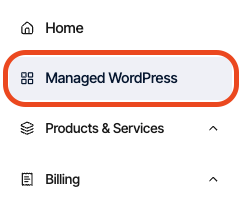
2. In the left sidebar, click **Managed WordPress:**
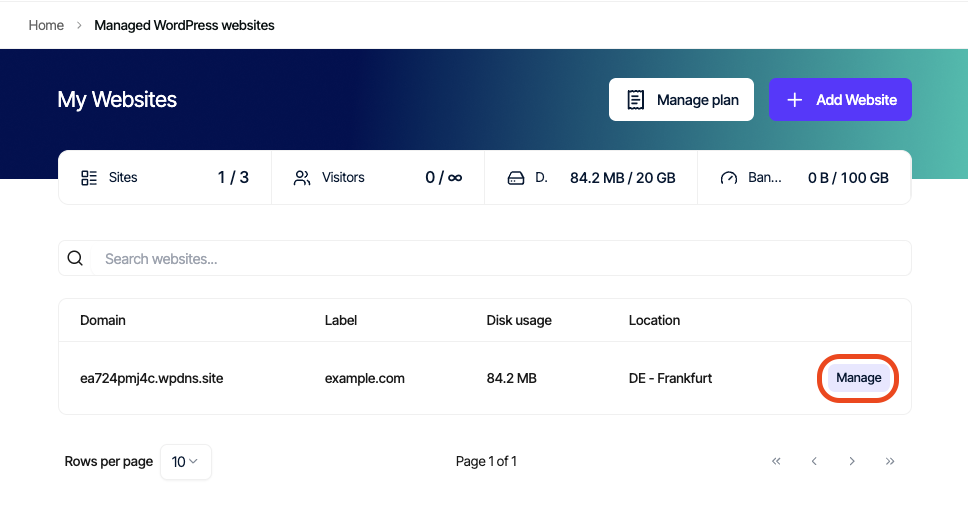
3. On the **My Websites** page, locate the site, and then click **Manage**:
4. On the Mochahost dashboard, click the **Security** icon:
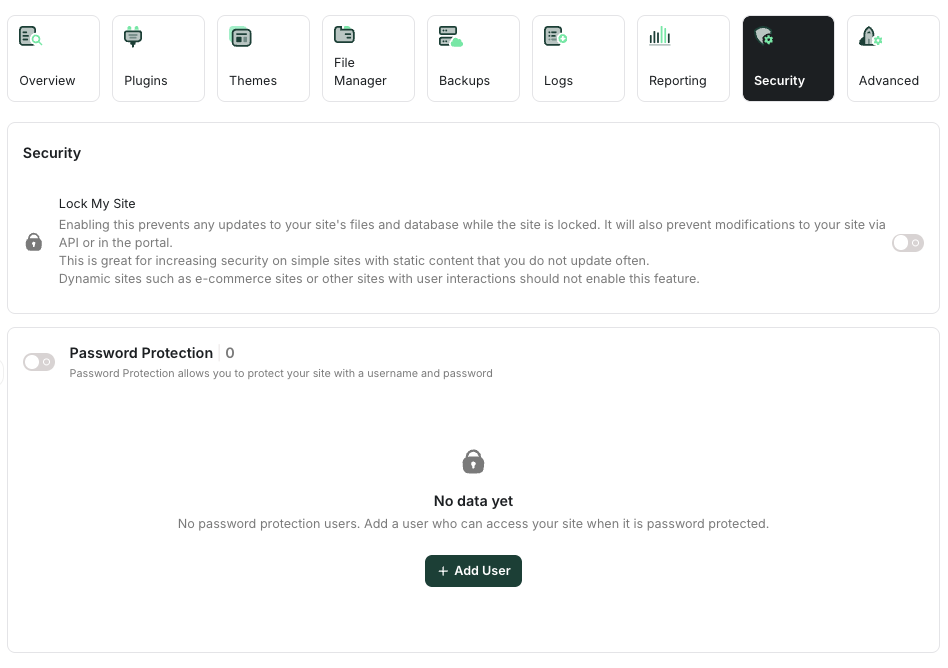
5. To lock your site, in the \*\*Lock My Site \*\*section, click the slider:

Note
When your site is locked, no changes can be made to your site's files and database. For example, if you have a site with static content, this feature helps increase site security. On the other hand, if you have a site with dynamic content (such as an e-commerce site), you should not enable this feature.
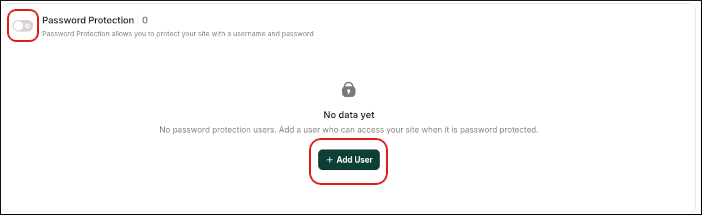
6. To enable password protection for your site:
1. Click the **Password Protection** slider, and then click **Add User:**
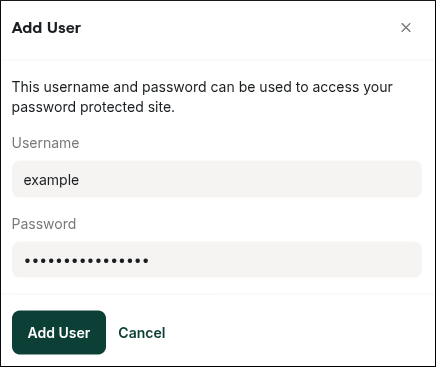
2. In the **Add User** dialog box, type the username and password you want to use, and then click **Add User**:
Note
When password protection is enabled, visitors must type a username and password to access your site.