

- Accessing the Advanced PHP Selector tool:

- Once inside the tool, the first screen displays the current PHP version, which by default is listed as “native” (which is usually the most current/most popular PHP version).
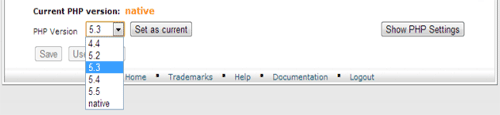
- Once the desired PHP version is selected, you will be able to pick any required for your applications PHP extensions.
 Once you are done selecting your PHP extensions, simply click on the button “Save” at the bottom of the screen.
- To customize all available for customization PHP configuration options, you can click on the “Show PHP Settings” button, available on the screen above. The screen will show a screen similar to:
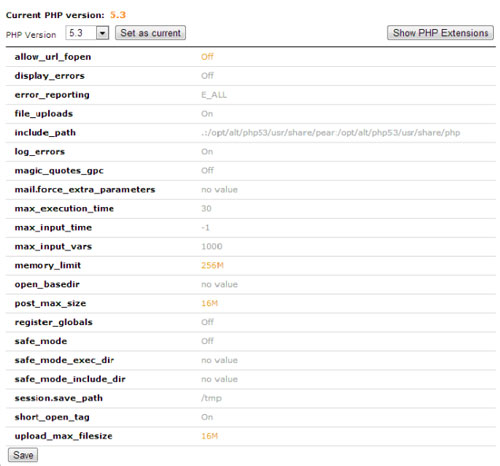 Once you are done selecting your PHP configuration options, simply click on the button “Save” at the bottom of the screen.
It is important to be noted, that depending on the PHP version selected, different PHP configuration options will be available. For example “magic\_quotes\_gpc” will not be available for PHP 5.4/5.5 since it is removed as a feature from the latest PHP builds.
Once you are done selecting your PHP configuration options, simply click on the button “Save” at the bottom of the screen.
It is important to be noted, that depending on the PHP version selected, different PHP configuration options will be available. For example “magic\_quotes\_gpc” will not be available for PHP 5.4/5.5 since it is removed as a feature from the latest PHP builds.