

- In order to upgrade MySQL version from WHM panel, you have to login as root in your WHM and type in the search bar: MySQL.
- You should click “Next”

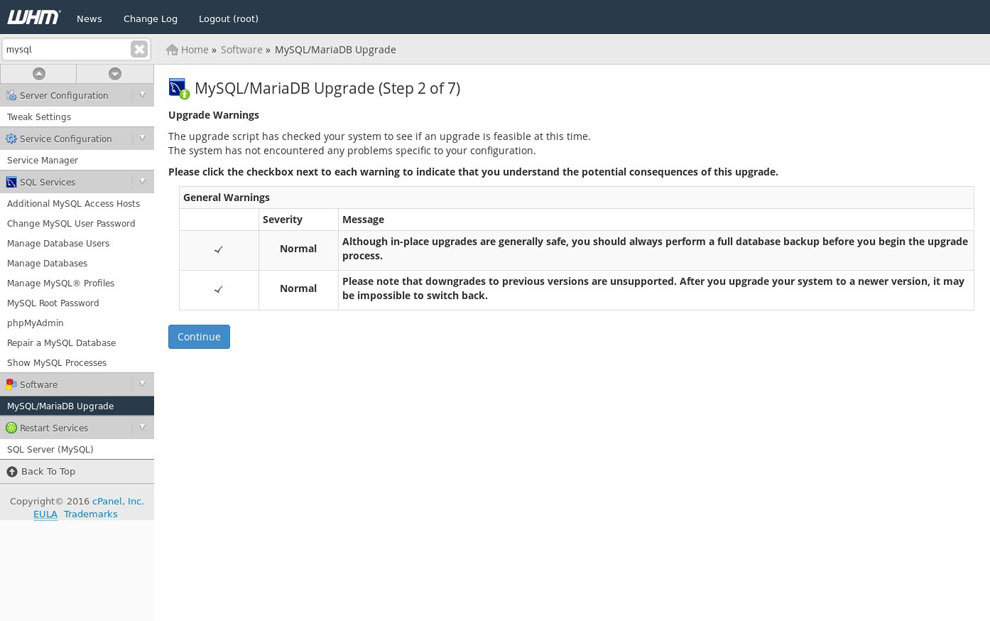
- At the next screen the system warns you that you should take a backup of the existing database system. Second, it instructs you that there is no way to downgrade a MySQL database framework from a higher version two a lower one. If this is acceptable for you, you have to tick off two checkboxes indicating that you fully understand the risks of upgrading your database and click continue as shown below:
- The next step is information about the upgrade of apache and PHP. Not all MySQL upgrades require them to be rebuilt. In this test example, the system recommends a partial upgrade without an Apache/PHP rebuild - If you upgrade from MySQL 5.5 or 5.6, you do not need to rebuild Apache because the client libraries are compatible.
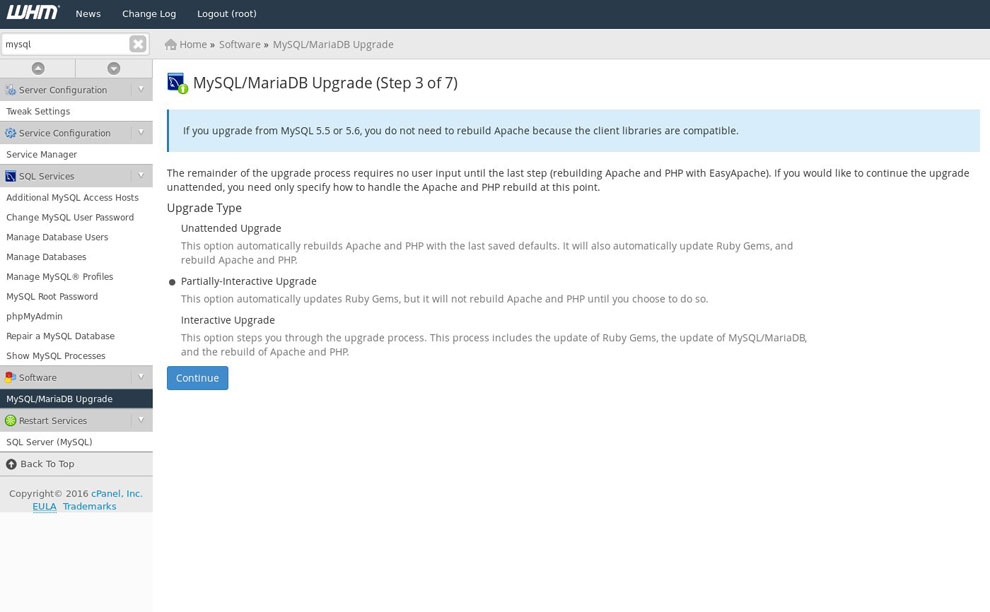
- Once you have choose the proper option for you, you should click on continue and the process will begin. This can take quite a while. All the while, you can check the output in the box below to see the progress.
