

- Log in to the Hosting Panel at https://clients.mochahost.com
-
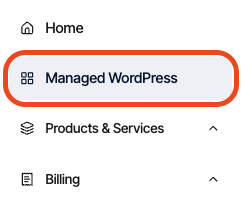
In the left sidebar, click Managed WordPress:
-
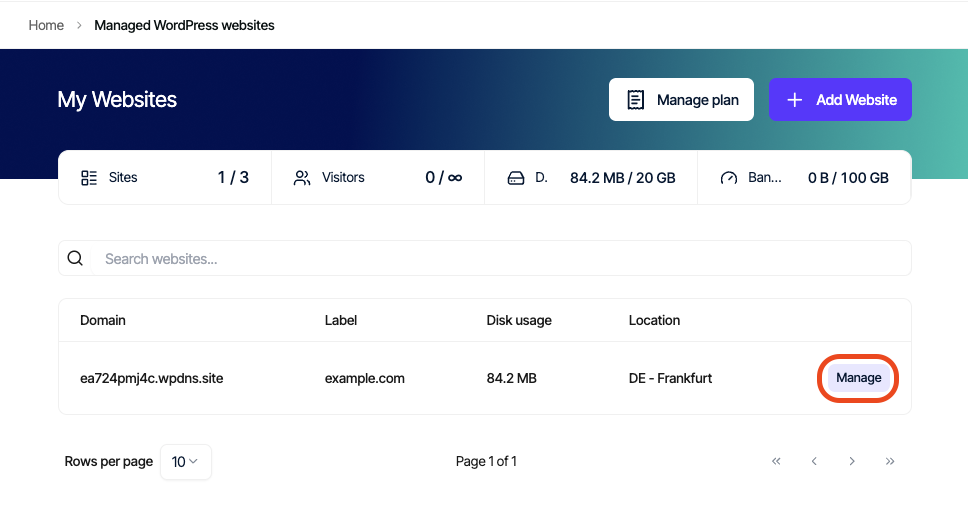
On the My Websites page, locate the site, and then click Manage:
-
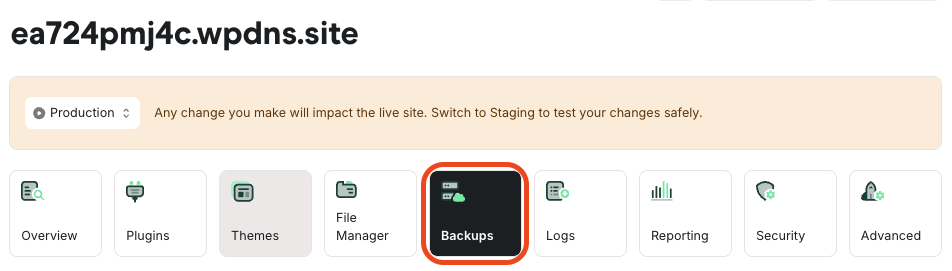
On the Mochahost dashboard, click the Backups icon:
-
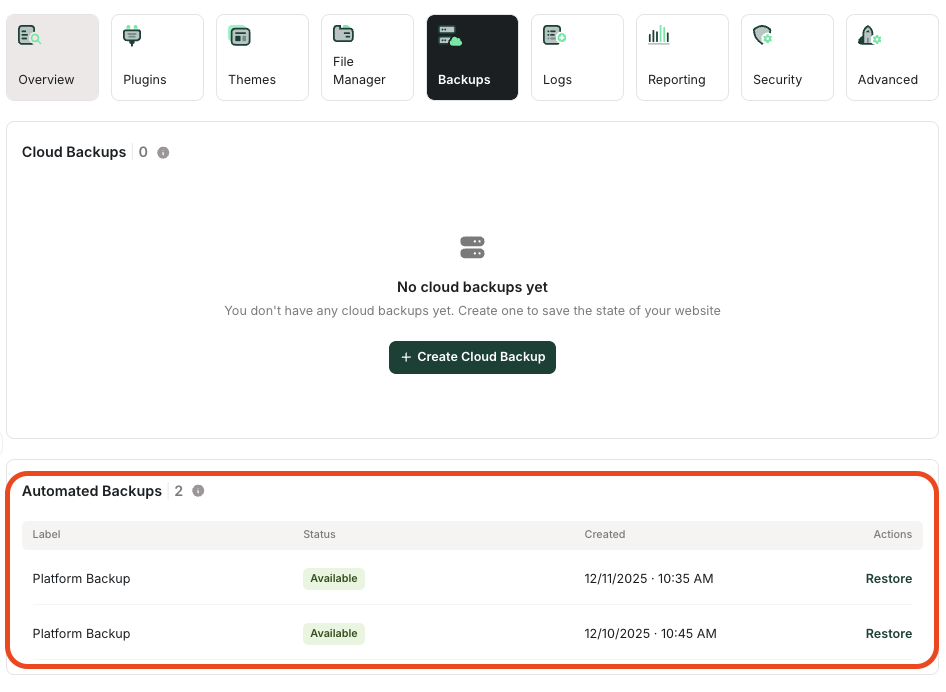
In the Automated Backups section appears a list of your automated backups. To restore one of these backups, click Restore.
Managed hosting for WordPress powered by Rocket.net
How to find and restore automated backups on Mochahost Managed WordPress
Learn how to locate and restore an automated backup of your site on the Mochahost Managed WordPress Dashboard.
Mochahost Managed WordPress creates daily automated backups of your sites. To restore one of these backups, follow these steps:
Was this page helpful?