

Requesting a migration
To request a migration, follow these steps:- Log in to the Hosting Panel at https://clients.mochahost.com.
-
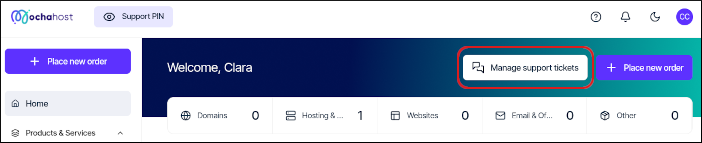
On the home page, click Manage support tickets:
-
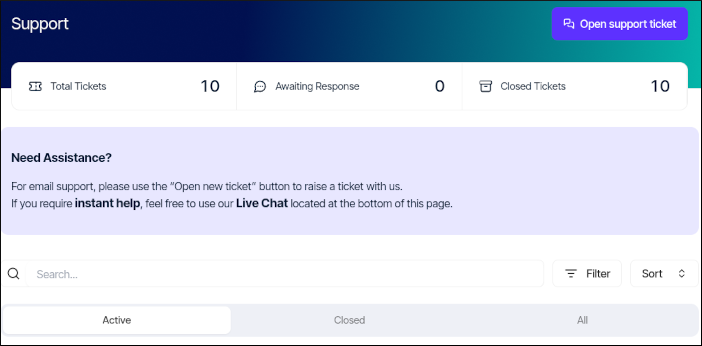
The Support page appears:
-
Click Open Support Ticket, and then in the Submit a support ticket section, complete the following information:
- In the Subject text box, type Site migration request.
- In the Department list box, select Migrations.
-
In the Message text box, please specify the following:
- Destination product or service for the migration.
- The domain(s) for the migration.
- Any SSL certificates you may have.
- Access methods for your account, including any cPanel, FTP, or SSH connection details.
-
Any other special directions or information you want us to know about your account.
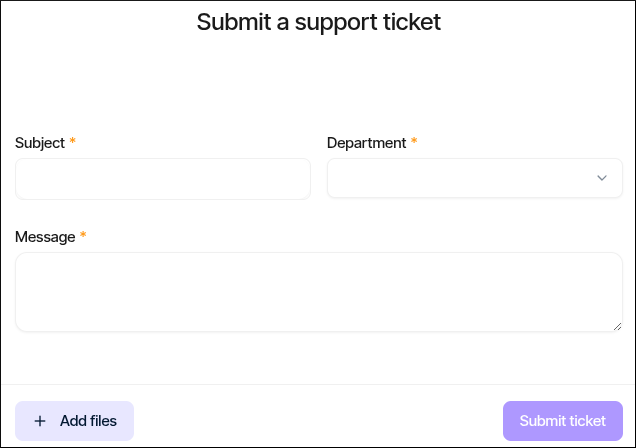
- Click Submit ticket. We will respond to your ticket as soon as possible.